



One of the key elements of the Jotelulu platform and the access portal used by customers is customisation. Despite the numerous features we already offer so that partners can enjoy a completely white-label service, Jotelulu is always looking for new customisation options to include on our platform. And now, you can customise avatars on the Remote Desktop service.
Customising avatars on the Remote Desktop service doesn’t just make things look pretty; it also helps you to more easily identify different organisations and users in the different sections of the platform.
How Can I Customise My Avatar?
You can customise avatars for both organisations and individual users.
Remote Desktop Subscription > Customisation
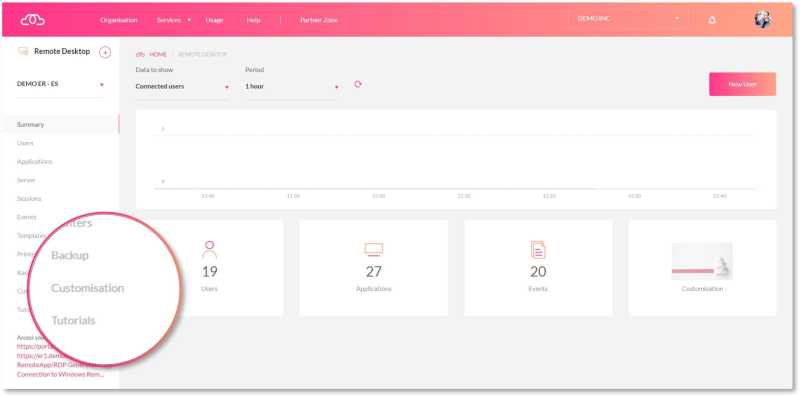
Simply, access the Customisation section to find the feature and load a custom avatar.
You can also customise an organisation’s avatar during the final stage of the Remote Desktop deployment process.
Remote Desktop Subscription > Users > Edit
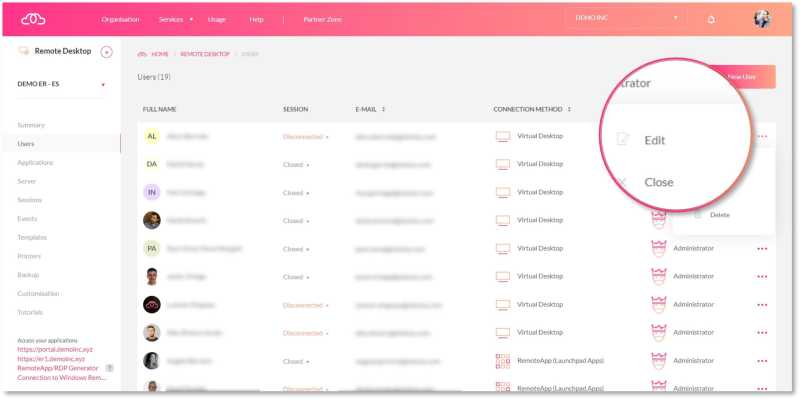
Access each individual user to customise their avatar.
You can also customise an individual user’s avatar from the Launchpad on the Remote Desktop.
More information
At Jotelulu, we work hard to guarantee the best possible experience for our partners and their customers. Customisation is a key part of this experience. For now, the option to customise avatars is only available for those environments deployed on or after 1 April 2023, but we will be gradually adding the feature to older environments.
If you would like to find out more about how to customise your avatar, you can learn about the different ways of doing it in a step-by-step tutorial, «How to Customise a User or Organisation Avatar on Remote Desktop».
We hope you find this new feature really useful. Thanks for reading!