






In this article, we’re going to explain the differences between IP failover vs DNS failover when configuring your Jotelulu Disaster Recovery plan.
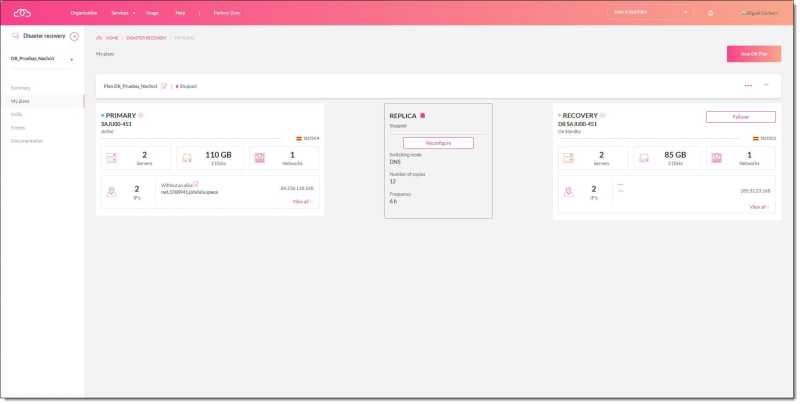
The Jotelulu Disaster Recovery (DR) service allows customers to protect their ‘Remote Desktop’ and ‘Servers’ subscriptions in the event of a serious problem with the host data centre.
In our article Introducing the Jotelulu Disaster Recovery Service, we explained how it works and what settings are available. One of the parameters that you need to decide when configuring your DR plan or reconfiguring your replication policy is whether to use IP failover or DNS failover. Recognising that many people might not fully understand these terms, today, we’re going to explain the differences between IP failover vs DNS failover.
Differences between IP and DNS failover
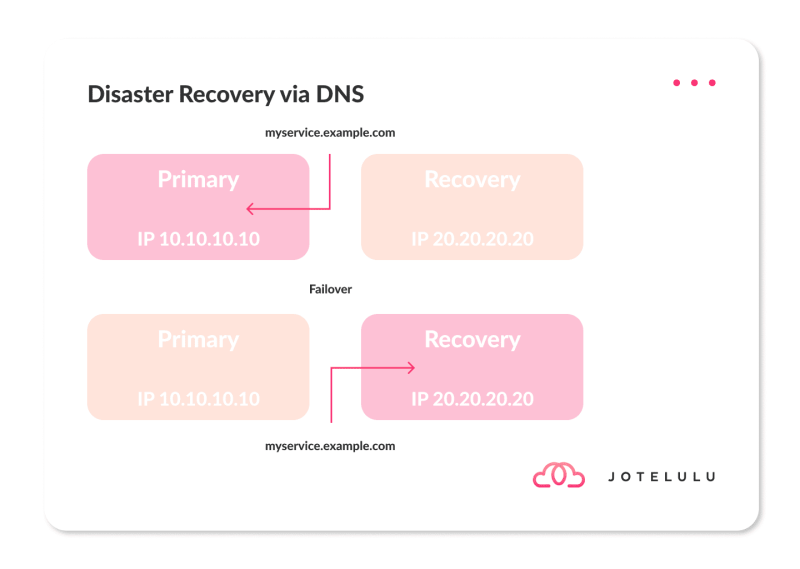
In the case of DNS failover, your primary subscription has a specific IP address, such as 10.10.10.10. It will also have a URL with a DNS name, such as «myservice.example.com». In the meantime, the target subscription where your recovery points are created has a different IP address, such as 20.20.20.20.
As long as your primary subscription is active, «myservice.example.com» will point to the IP address 10.10.10.10. However, if you activate the failover to move the service to your secondary subscription, the DNS record will then point to the IP address for that subscription, i.e., 20.20.20.20.
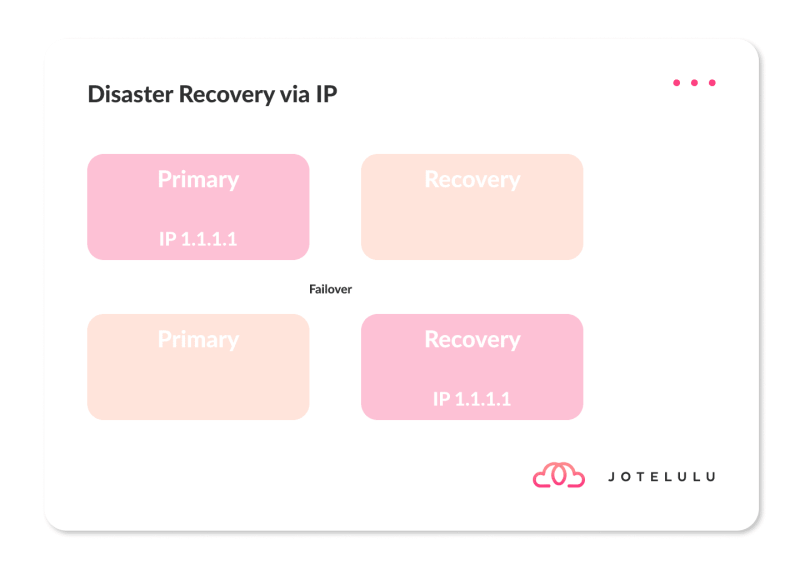
IP failover, by contrast, aims to preserve the IP address at all costs. In this case, your primary subscription will have the IP address 10.10.10.10 and your secondary subscription will have no IP address at all. When the failover is triggered, the IP address is moved from your primary subscription to your secondary subscription.
In both cases, the result is the same. Your ‘Remote Desktop’ or ‘Servers’ subscription will remain active and you will maintain business continuity. This way, you will suffer no downtime, which could otherwise be fatal for the company.
Both forms of failover are transparent to the end user, which is vitally important if you want to maintain the trust of your customers and ensure that they feel secure using your services.
NOTE: Don’t forget that having a Disaster Recovery plan not only protects your business but is also required to comply with ISO 27001 and ISO 22301.
Conclusion
As you can see in this article, the difference between DNS Failover and IP Failover is subtle but you will need to choose the right one based on your business needs.
If you would like to learn more about Disaster Recovery (DR), check out our blog for more articles, such as:
- Top 10 Key Factors When Creating a Disaster Recovery Strategy
- Disaster Recovery: What Are RPO, RTO, WRT and MTD, and Why Are They Important?
- Why is Disaster Recovery Planning Such a Headache?
- Disaster Recovery: What Is It and Why Do We Need It?
- Risk and Threat Assessment for SMEs
- The 5 Most Common Causes of Data Loss in SMEs
- What Is The Real Cost of Not Investing in Security?
- How to Respond to an IT Security Incident, Step by Step
You will also find some tutorials, covering topics like:
If you have any questions about the service, please, get in touch with us!
Thanks for reading!